


What is Digital Asset
Management?
A digital asset management (DAM) system is software designed to keep all types of digital files organized, secure, and easy to find. For communications and marketing teams, that means faster workflows and easier collaboration.
This page breaks down what a DAM system does, why it matters, and what to consider when choosing one.
What is Digital Asset Management and
What does it do?
Before teams start using a DAM, assets are often scattered across platforms like SharePoint, Dropbox, email inboxes, and personal drives. Finding a file becomes time-consuming, especially if you don’t know exactly where it was saved. Collaboration also slows down due to email attachment limits or the need to use third-party file transfer tools.
A DAM system removes that friction by giving everyone access to a single, reliable source. Built-in permissions and access control provide an added layer of security, ensuring that the right people can access the right files.
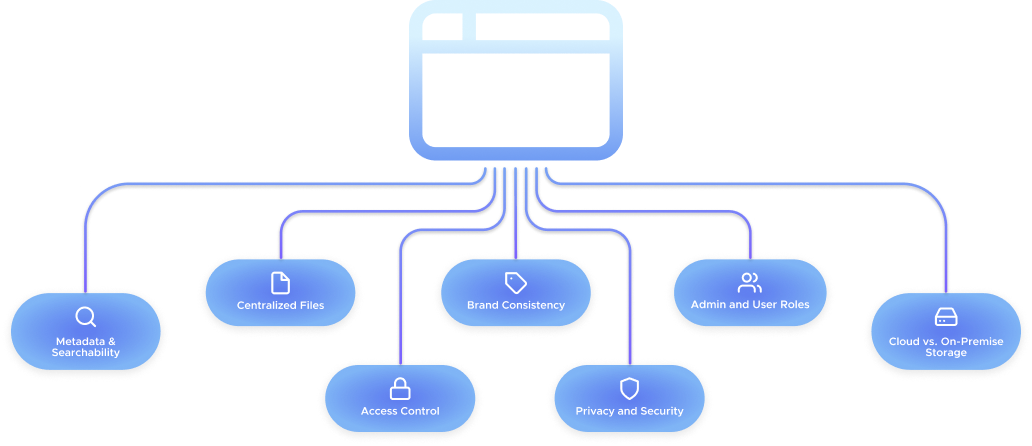
Centralized Files
A DAM gives your organization a single source of truth, so teams know exactly where to find the files they need. It makes working with a media library simple and straightforward for anyone in the organization regardless of whether they were involved in setting up the system.
Brand Consistency
One of the most common reasons for using a DAM is to support brand consistency by making approved logos, visuals, and templates easy to access and use. You can designate a folder of visuals for social media use, for example, and share it with your content team, so they can confidently choose images from it for social media campaigns.
Metadata and Searchability
Metadata such as tags, author credits, usage rights, and expiry dates makes every file easier to find and manage. Good DAM systems let you view and update metadata directly in the platform. This enables keyword searching, which can surface the right file in seconds, even if you don’t know exactly where it’s located in the system.
Admin and User Roles
Unlike a typical internal server, which is accessible to everyone in the organization. DAM systems typically use role-based access. Admins manage users, create folder structures, and assign permissions. Users access only the content relevant to their role.
Access Control
Admins can restrict access to folders or files in order to protect sensitive content. As more teams get involved, access control becomes critical to prevent misuse or accidental exposure.
Privacy and Security
Modern DAM platforms must meet today’s security and privacy standards. Look for GDPR compliance and proven cybersecurity practices, especially if you’re handling sensitive or regulated content. If security is a top priority for your team, you’ve found the right partner. Skyfish is fully GDPR compliant. Our GDPR commitment ➡️
Cloud vs. On-Premise Storage
Some DAM systems are cloud-based, while others are hosted on local servers.
● On-premise options give more control but require dedicated IT resources.
● Cloud-based DAMs are easier to deploy and maintain, with security measures that often match or exceed internal infrastructure.
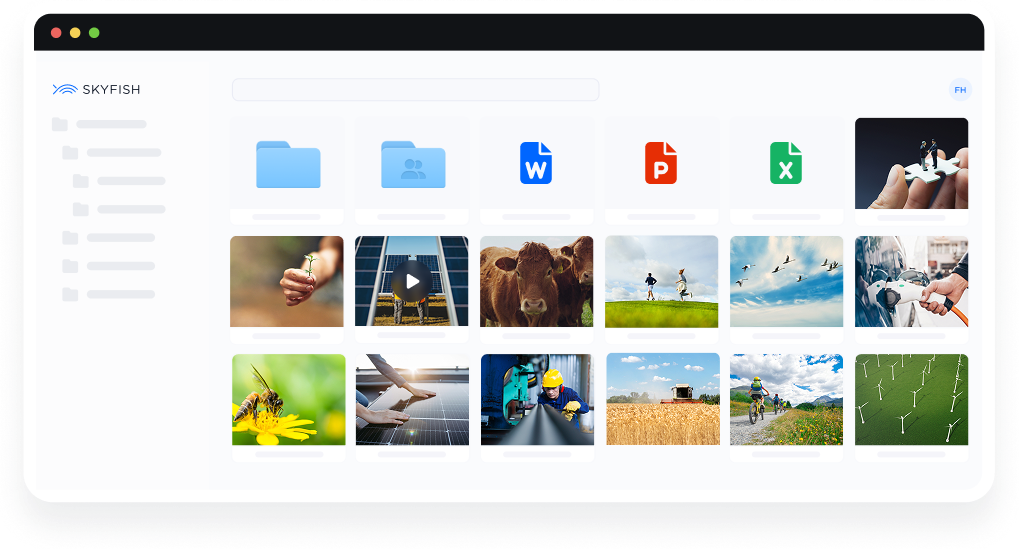
Meet Skyfish: Digital Asset Management for Visual Content
Skyfish offers all the DAM benefits described here, plus many more that communications and marketing teams find useful, such as video streaming, Public Media Galleries, and consent management.
Is a DAM System Right for Your Team?
If your organization produces a lot of visual content, juggles multiple channels, or collaborates across teams and departments, a DAM system can reduce friction and increase control.
Still asking yourself “What is digital asset management?” Find out more in a guided walkthrough of Skyfish. We’ll help you determine the best solution for your team’s needs.